How to Get Consulting Leads from LinkedIn AI Articles

Peter O'Donoghue
Business Development Expert
The Problem This 'How To' Piece Helps Address
Getting ideal clients to actually see the content you create that is designed to position you as the expert in your niche.
Why does this problem exist?
If you write an article on your blog then very little traffic will find it, unless you invest in SEO or have high domain authority. If you post on LinkedIn then you are under the rule of the LinkedIn algorithm and a tiny fraction of your audience may see it - possibly as low as 2%. Also the 2% that see it may not be problem or solution aware.
What is the solution?
If you follow the step by step process I outline below you will be able to get your name and authority positioning on the first page of Google within a few hours. And, for search phrases used by your ideal clients searching for a solution to a problem they think they have.
What is the mechanism?
LinkedIn AI articles BUT used in a way that no one else is using them right now. This really is something different and completely open to opportunity.
Is this a 'hack' or passing fad?
No. This is a long term perspective on creating content and positioning that when done repeatedly will bring in business for many years to come. This isn't a get rich quick scheme but part of a longer term content strategy.
The Strategy
In this article, I'm going to show you how you can get consulting clients using the new, much-criticised LinkedIn AI article features.
Don't get me wrong, I'm not a massive fan of these AI-created articles; however, I stumbled across a way that any consultant can use them to build up long-term credibility and get clients.
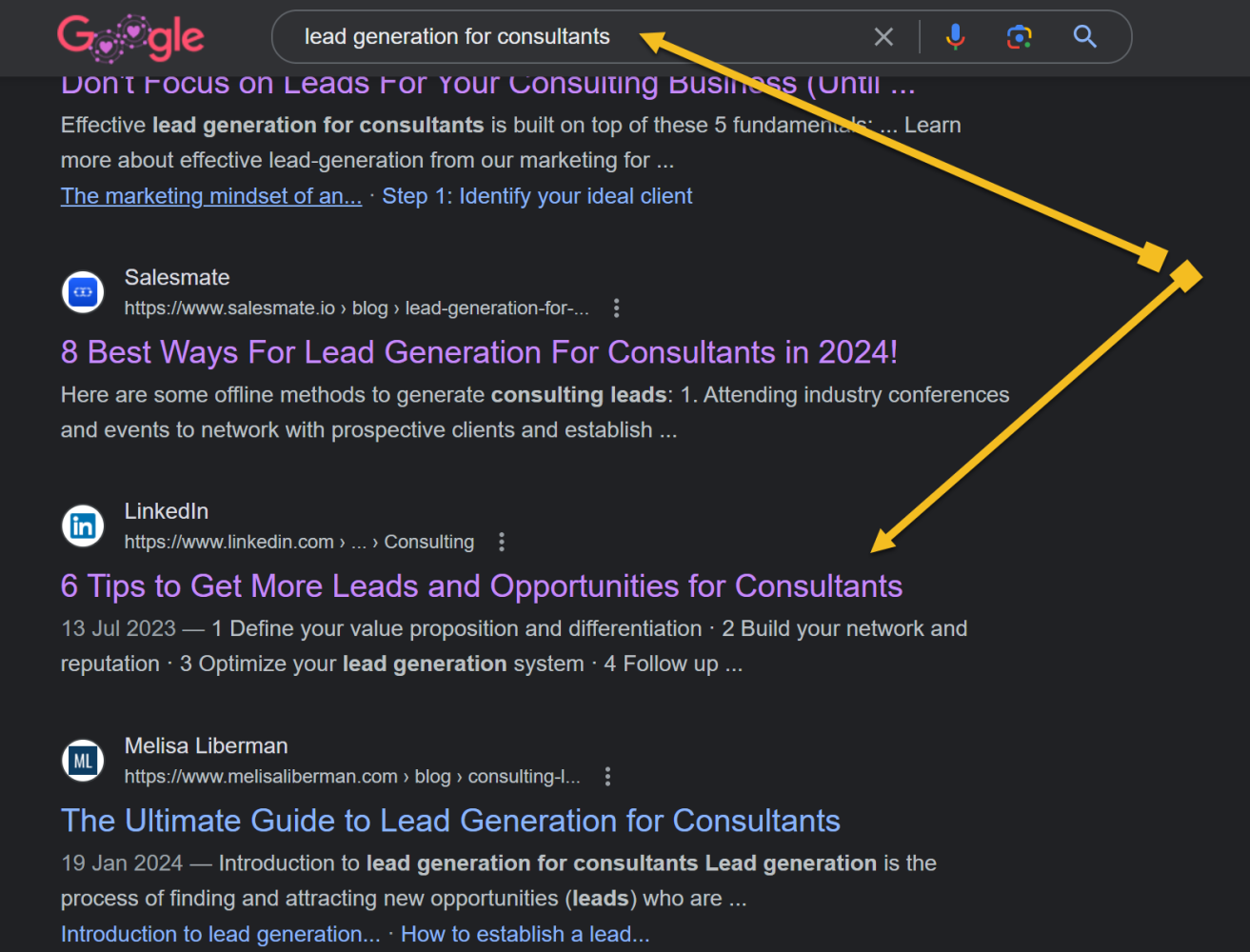
The image above is a Google search for lead generation for consultants - a search term a segment of my audience is likely to google.
As you'll see, on the first page is a link to an AI-generated article hosted on LinkedIn. The reason it is there is because of the huge domain authority of LinkedIn to rank for pages.
I clicked over to that article and, lo and behold, it's one of those AI articles that are open to contributions from anyone - especially me!
Why most people Are Getting This Wrong
The thing about these AI articles is that the people who are commenting on them are pretty much using AI to add pointless valueless comments in a way to game LinkedIn and acquire a 'top voice badge'.
As a way to manufacture credibility you can game the system by commenting on 3 or more articles and then getting 'up voted'.
After a little while, LinkedIn award you a yellow 'top voice' badge as a status symbol on your profile. I have even seen people advertising to get you one of these badges for £399 - obviously using AI.
Want to implement this in your consultancy?
Book a free diagnostic to see where your revenue is hiding.
What 99.9% of people leaving comments are missing is the big picture, long term perspective.
It's not about getting a badge to fake credibility.
It's about being seen as the expert by people searching for a solution to the itch you solve.
That's the funny part of all this. All you have to do is spend a little bit of time and effort, and you can put together an intelligent comment, drop it on there and you'll really stand out. Especially as most of it is pure junk written by AI.
Step 1: Be the first thing a visitor sees
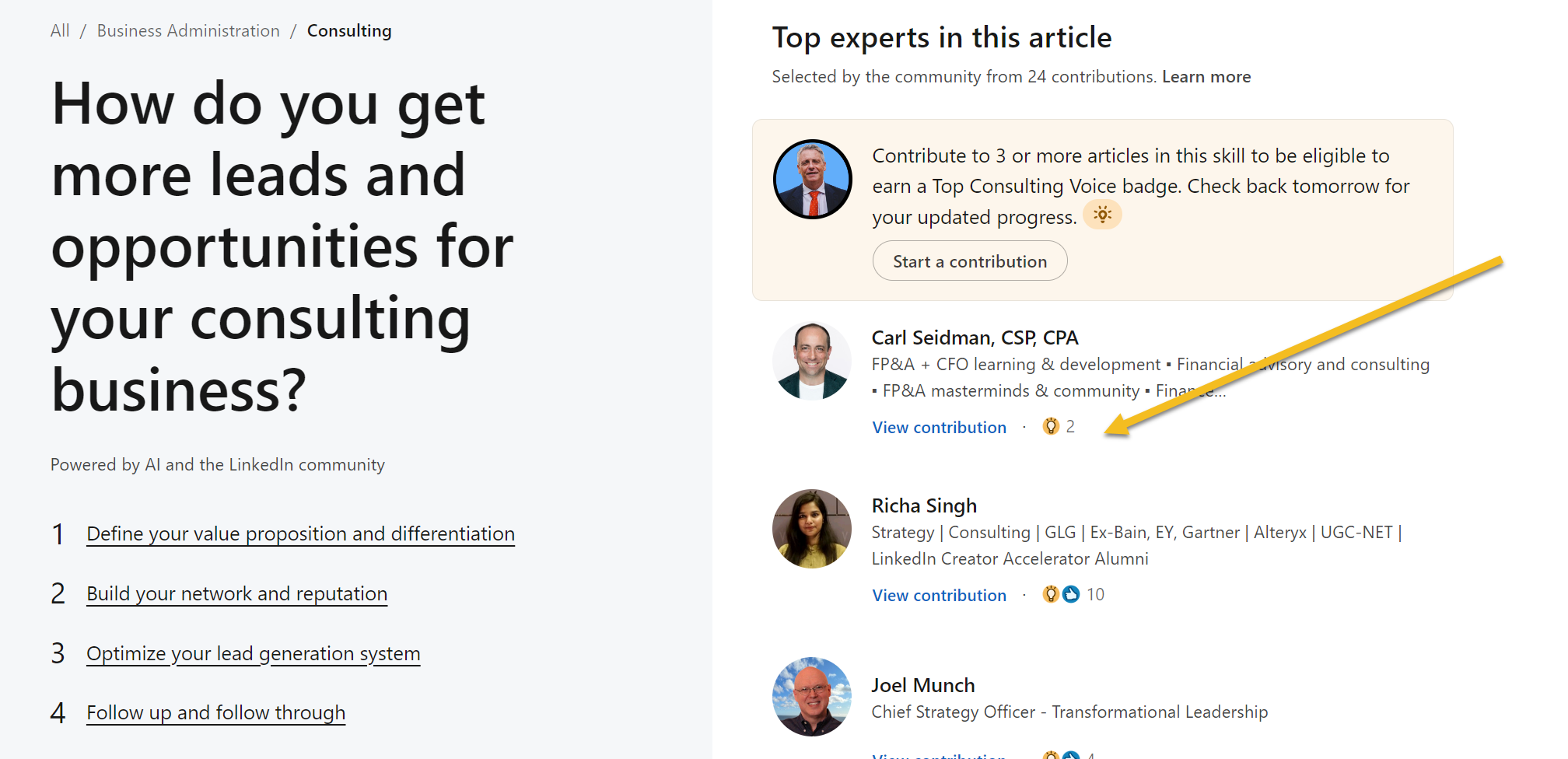
The image above is what someone sees when they first land on the page. Our goal is to be 'up voted' as the best contributor to the article and I'll show you how to do it.
Because when they land on the article our eyes tend to naturally look to the right and when it does they will see something like this - my smiling mug shot with the strap line: 'I help B2B Consultants get clients'.

But to be at the top I need to be upvoted.
A quick scan of the leader board shows me that the highest rated commentator has 2 lightbulbs (inspired) beating out a commentator with 10 likes.
So now I know what I have to do - I need 3 lightbulbs and I'll almost certainly take the top position here.
When you comment on any paragraph you can get a link to that specific comment. All you need to do is ask a few friendly members of your network to head to the article and upvote you to get the ball rolling.
Step 2: Post Insightful Comments
An article is usually made of 6-9 short paragraphs and you can place a comment on each. Take some time and post an insightful comment and make a soft offer to reach out and talk to you.
Step 3: Place Breadcrumbs
I have to admit, I thought I was pushing my luck with this one. The content was about lead generation and I have a simple marketing system I give away for free.
"Surely they won't let me drop a link?!?" - I thought.
I was wrong. They did.
So now, I have a link out from a high ranking page directly to an optin form for a relevant piece of content.
Step 4: Be the last thing they see
We are trained to take the next step at the end of a blog article and my bet is any reader of this article would be doing the same.
LinkedIn makes this really easy for us because they generally add a catch all 'what else' paragraph at the end that most people don't comment on.
We do. And we include a link out to a relevant content piece.
This LinkedIn presence strategy works even better when combined with a comprehensive consulting marketing system. For more personalized support, explore our advisory services to develop your complete marketing strategy.
Is This Guaranteed To Get You Clients?
Of course not. It depends on search volume, search intent and a whole host of other things.
BUT... I don't know any other way to get on the front page of Google and be positioned as an authority within a few hours.
How Can You Apply This?
1. Google the search terms that people might use to research the symptoms of the problems you solve. Scan the first few pages and see if there are LinkedIn articles ranking. Note them in a spreadsheet to process later - marking them as priority number 1.
2. Spend about 30 minutes going through the articles listed under the major topics relevant for you. Note the ones that might rank in the future that are relevant i.e. based on topic, url and content. Note them in your spreadsheet as priority number 2.
3. Set a target number of articles to process a week/month and then diarise the time to do it.
4. Where possible include a link back to a relevant blog post on LinkedIn, your website or an opting to a newsletter or content giveaway.
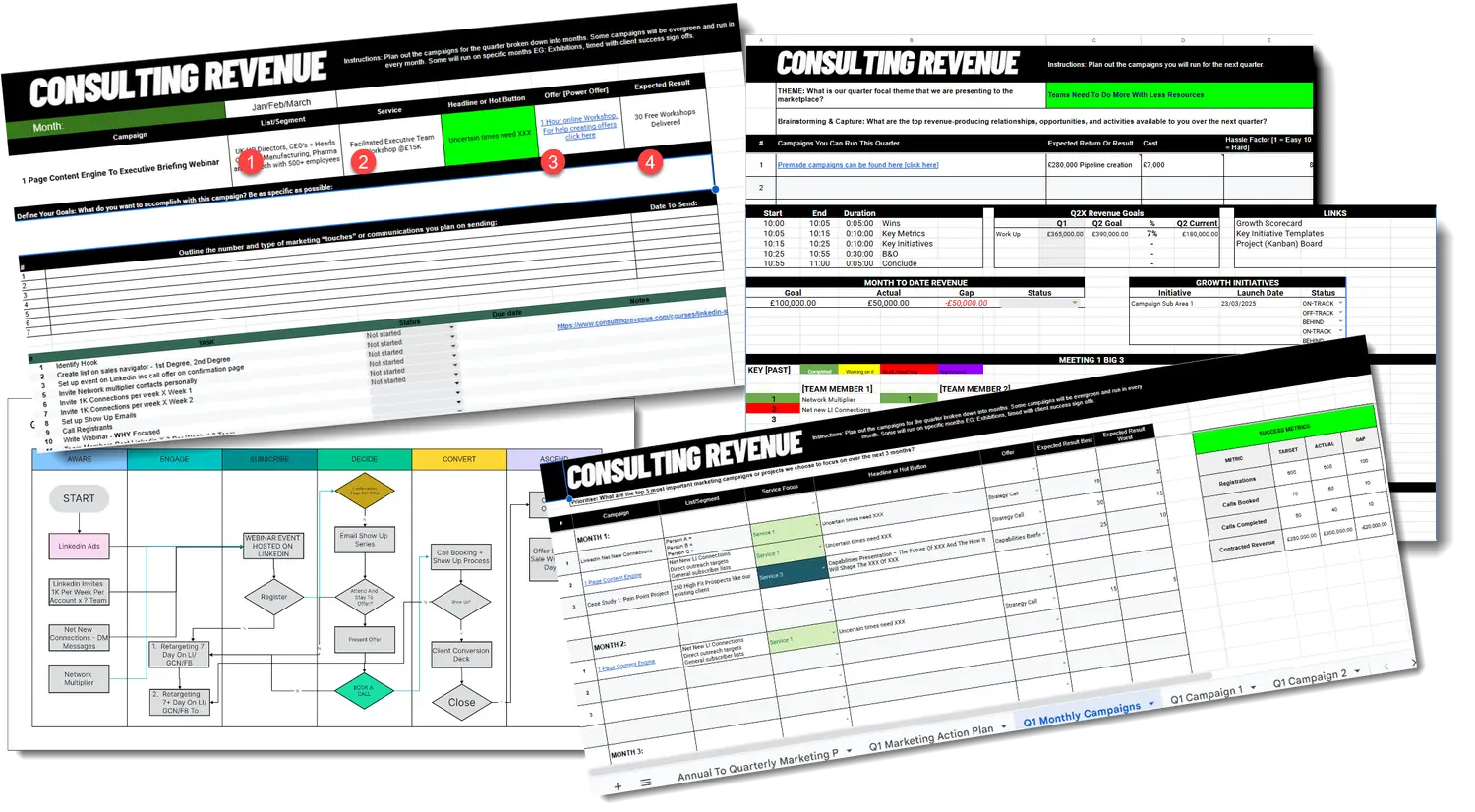
Build a BD System That Runs Without You
Download the Revenue Engine Builder. A strategic and tactical framework for building a repeatable, predictable business development system inside your consultancy.